

Features

Everything StudyIn does to keep you focused and moving forward.

StudyIn combines app blocking, syllabus-specific questions, adaptive difficulty, mastery tracking, and custom study sessions into one structured study system.

StudyIn screen showing distracting apps selected for blocking
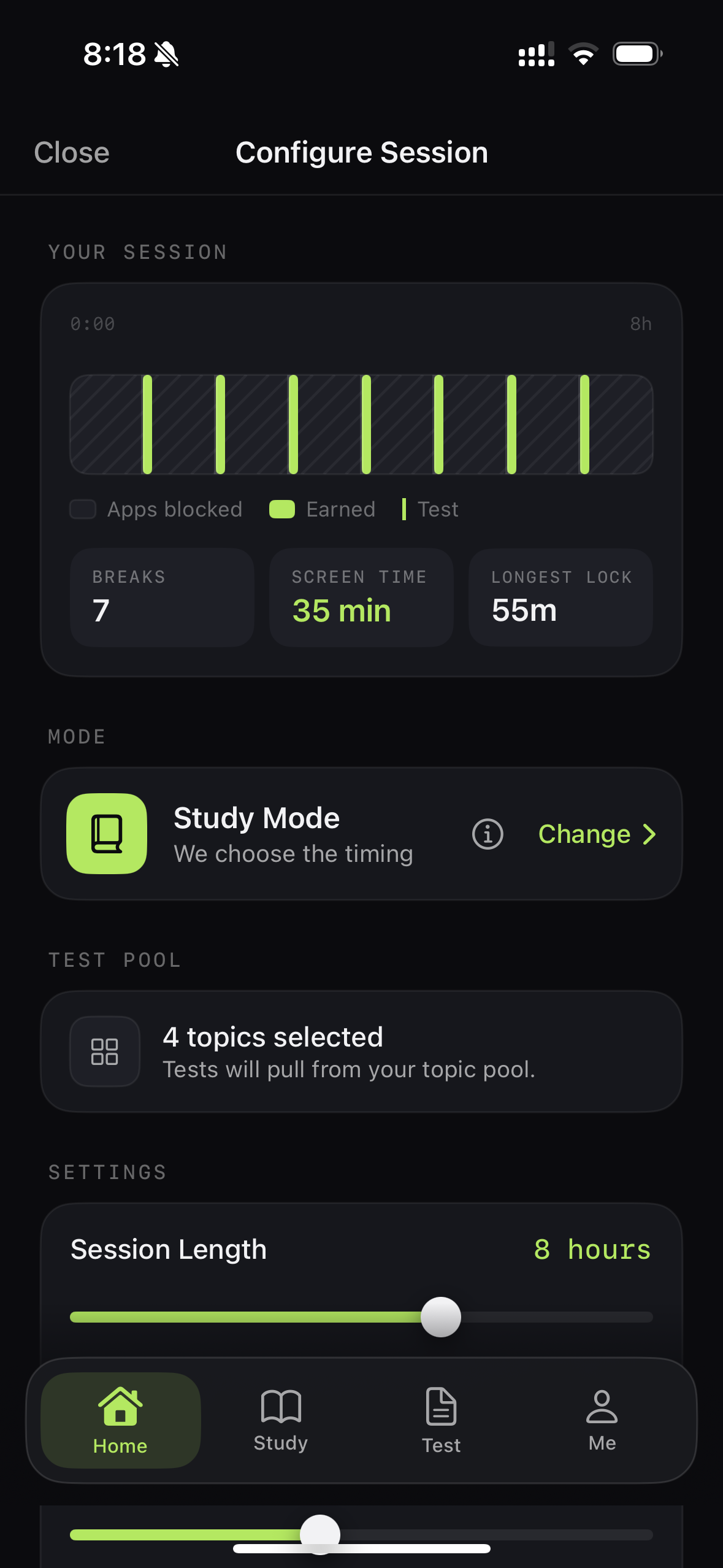
StudyIn session overview showing focused study time and earned breaks
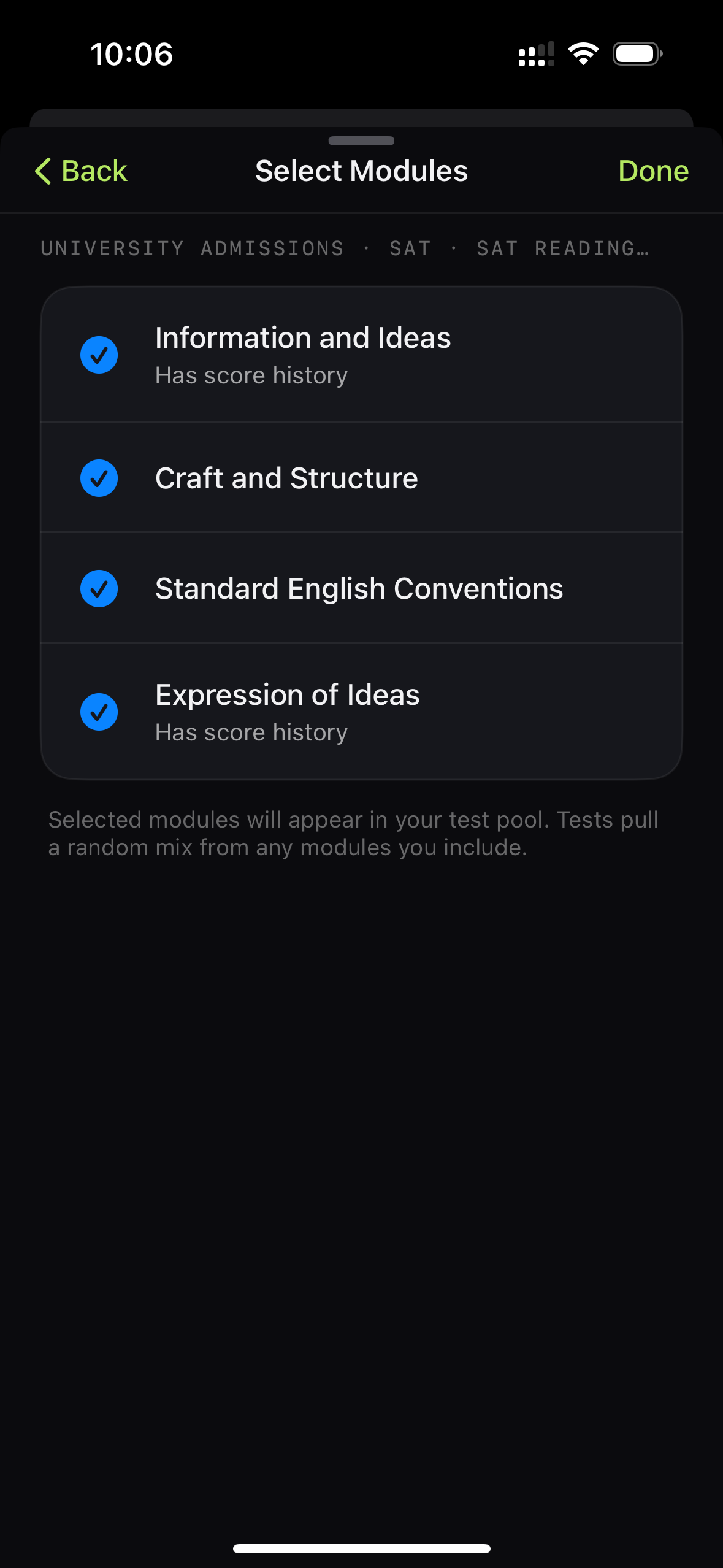
StudyIn SAT module selection screen with four syllabus areas selected

01

Protect your focus

App Blocking

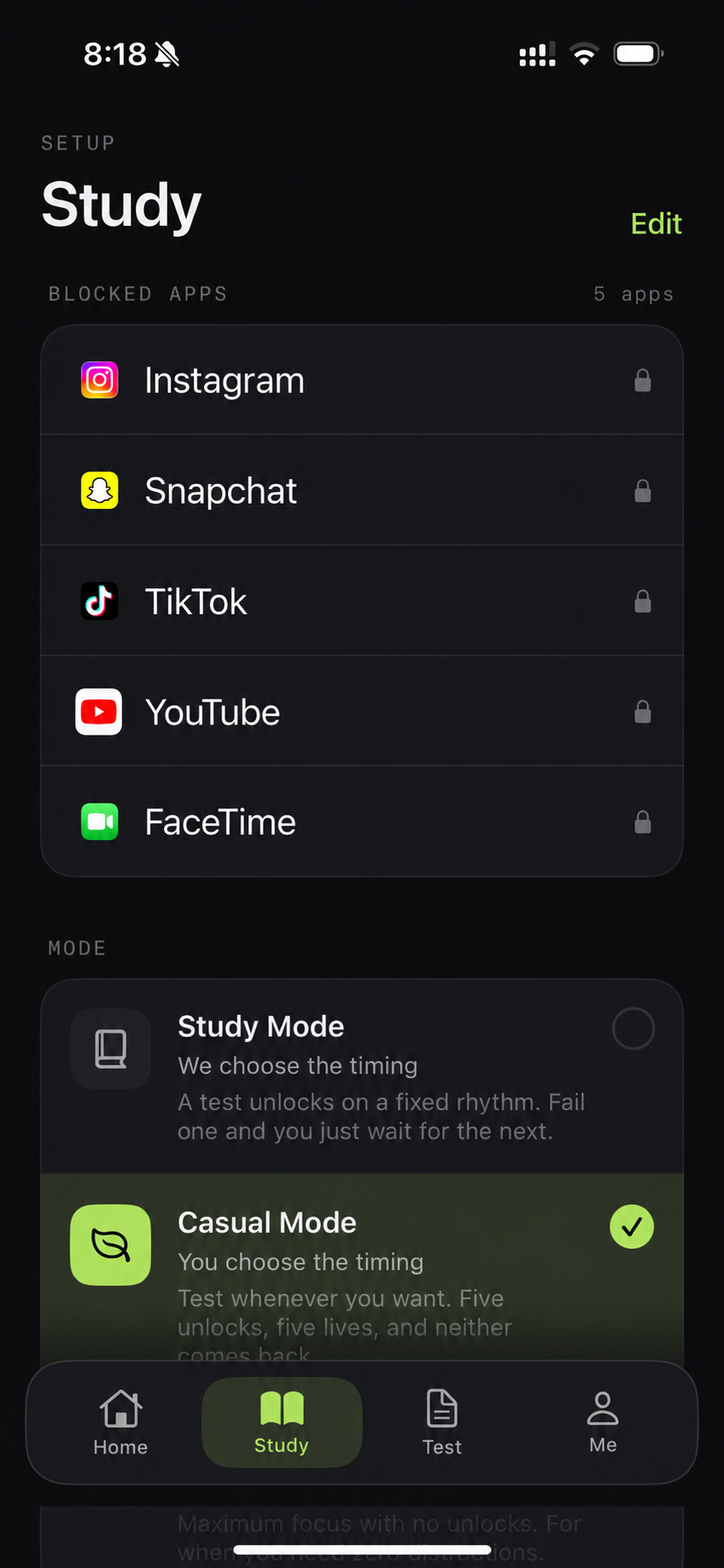
StudyIn uses Apple’s Screen Time framework to block the apps you select during a study session. You choose which apps are restricted, and they remain shielded until the session ends or you successfully pass a quiz.

StudyIn app-selection screen showing five apps selected for blocking
Choose the apps
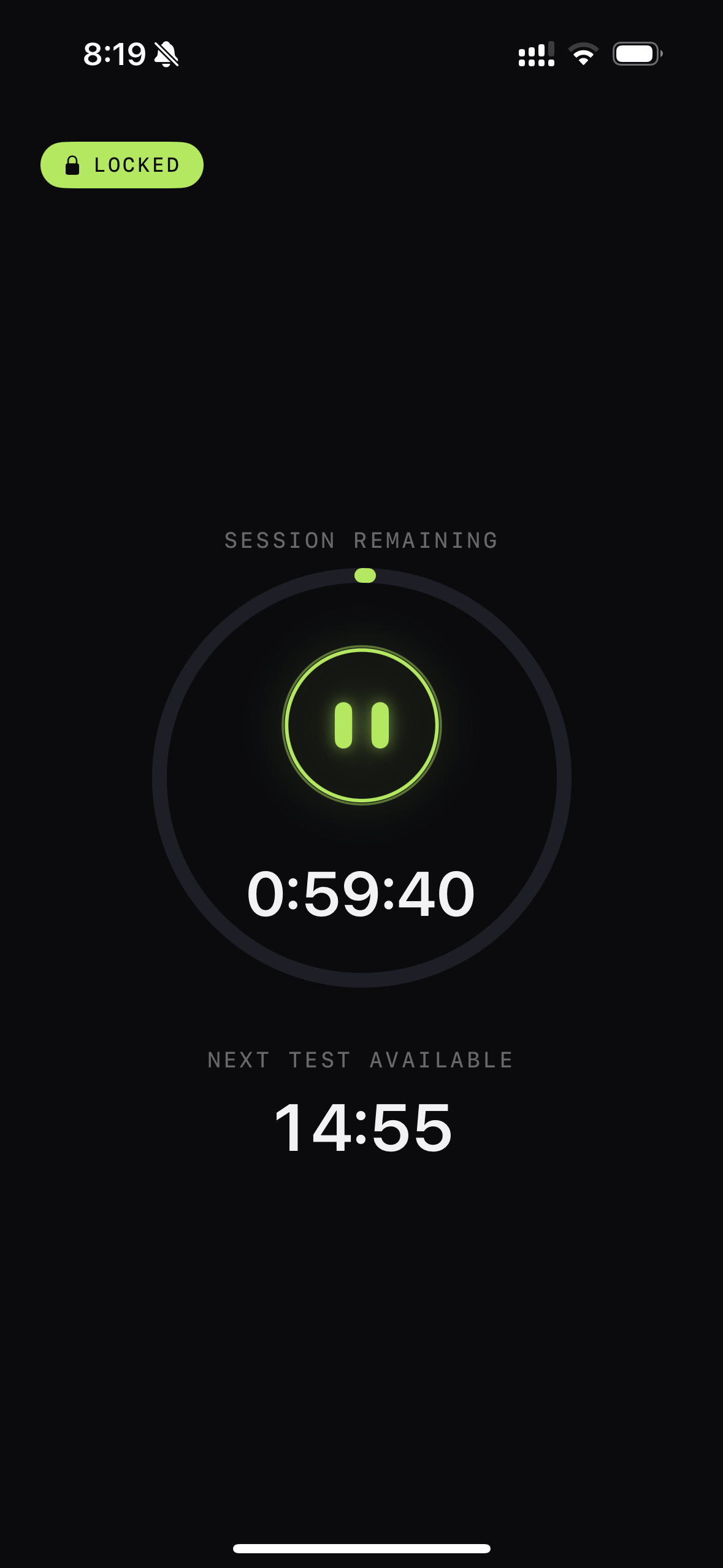
StudyIn locked-session screen with a focus timer
Study without the pull
ExamSubjectModules
StudyIn exam selector showing SAT and ACT
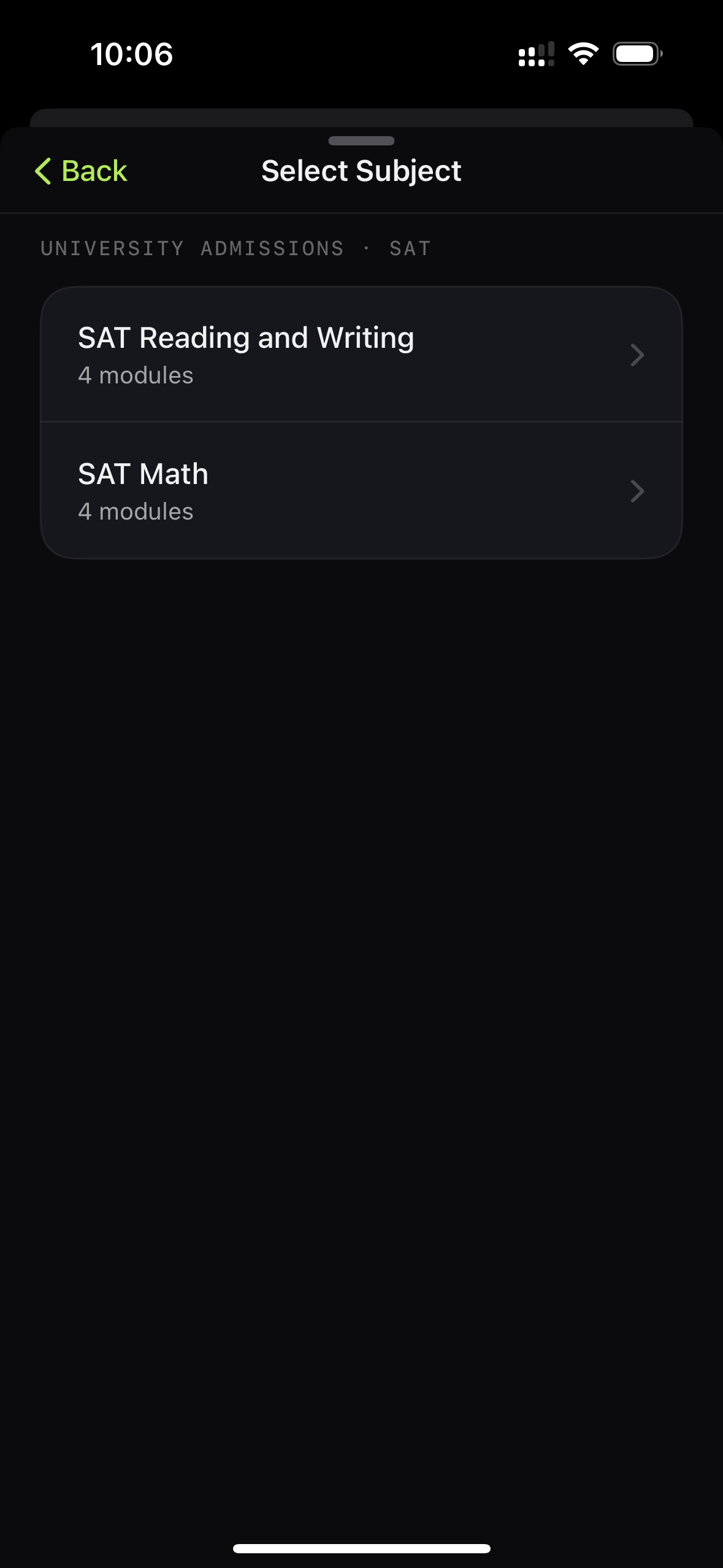
StudyIn subject selector showing SAT Reading and Writing and SAT Math
StudyIn selector showing SAT Reading and Writing modules

02

Study what matters

Syllabus-Specific Questions

StudyIn quizzes are tied to the exam and subject you are preparing for. For example, if you are studying for the SAT, you can select the specific modules within Reading & Writing and Math that you are working on. The questions you see are based on the syllabus areas selected for your session, rather than a generic question bank.

StudyIn category selector for school, university, graduate, and professional qualifications
Choose a qualification
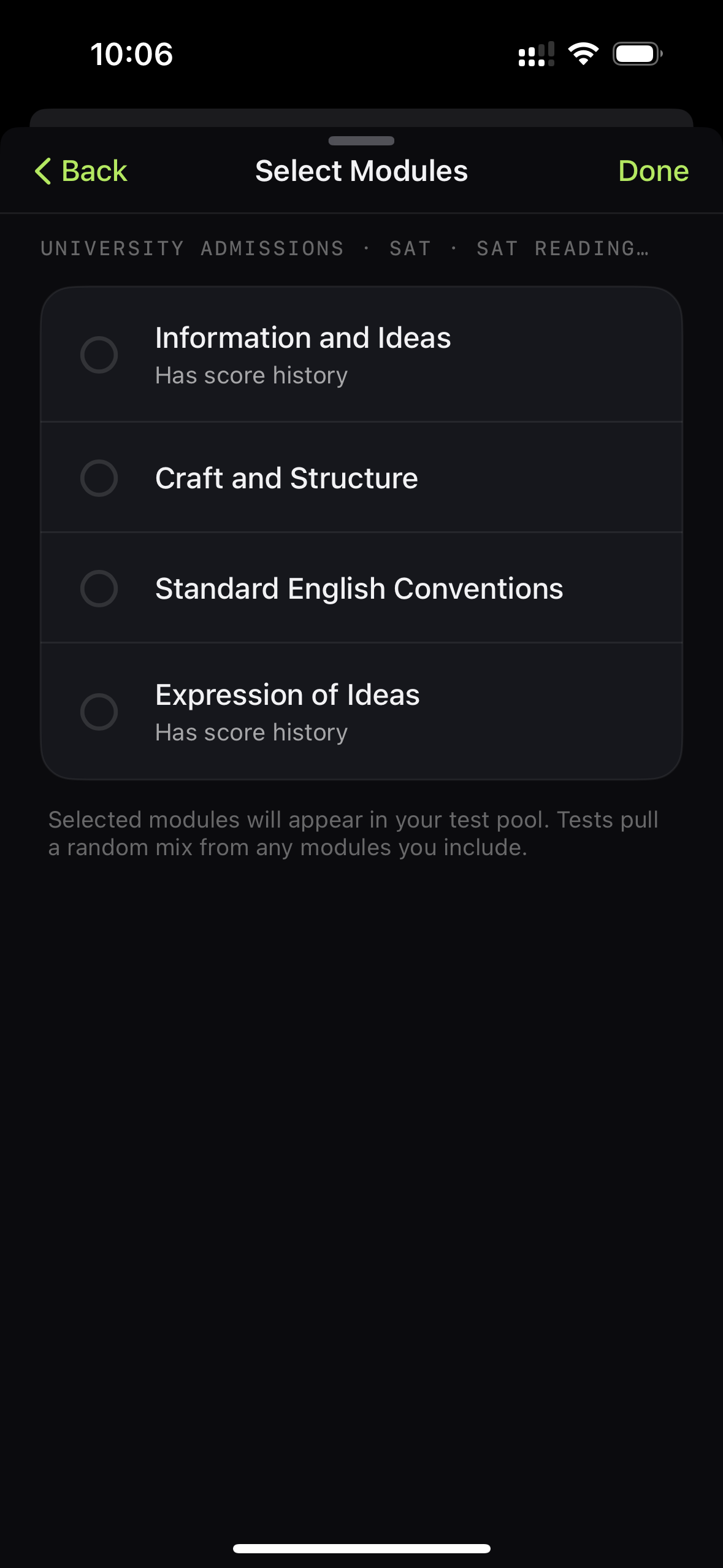
StudyIn SAT Reading and Writing modules before selection
Pick your syllabus areas
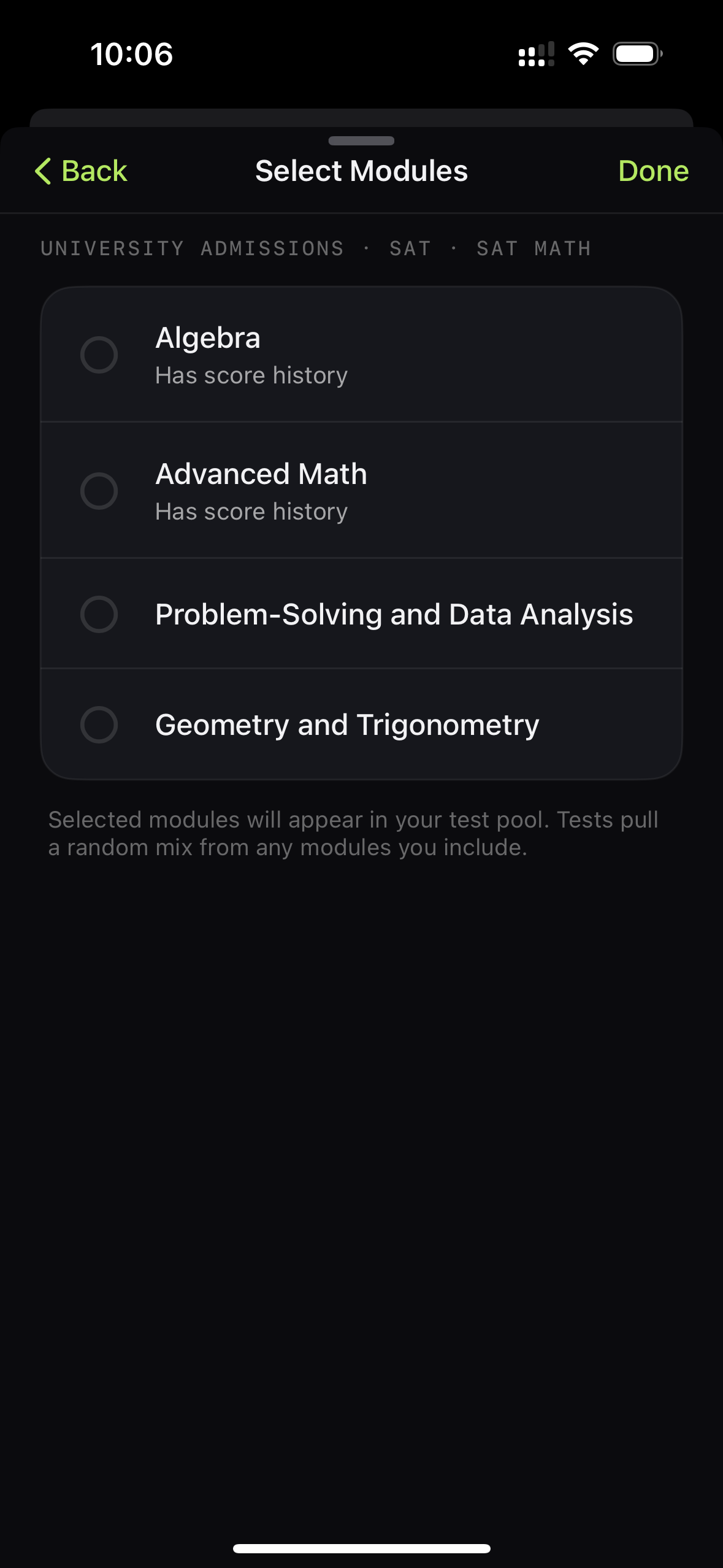
StudyIn SAT Math modules including Algebra and Advanced Math
Switch between subjects

03

The right level, at the right time

Adaptive Difficulty

StudyIn adjusts question difficulty based on your performance. Questions are organised across difficulty levels, and consistent correct answers move you towards harder material. If you struggle, the system keeps questions closer to your current level rather than increasing the difficulty too quickly.

Level 1
Level 2Current level
Level 3Current level
Level 4

Difficulty moves with your performance.

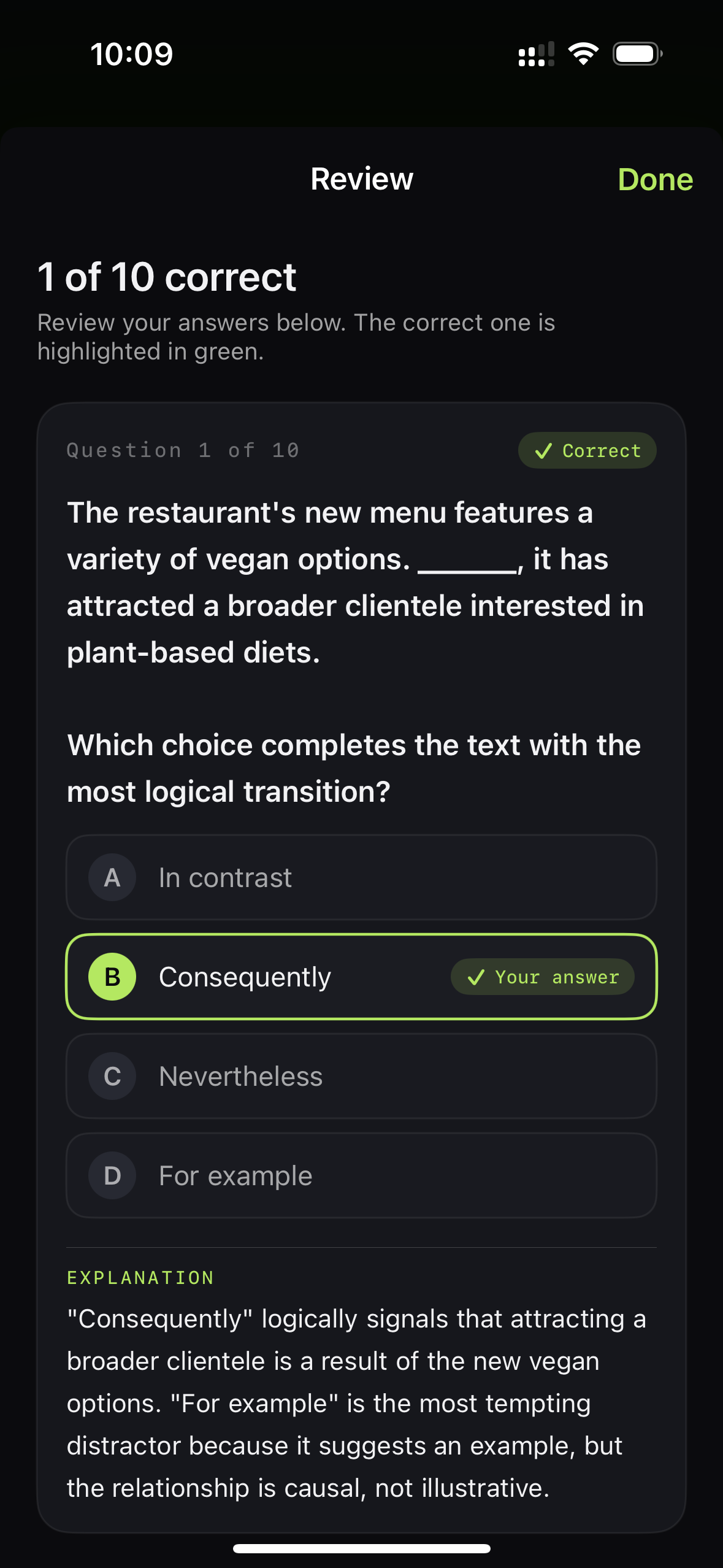
StudyIn answer review showing a correct answer and explanation
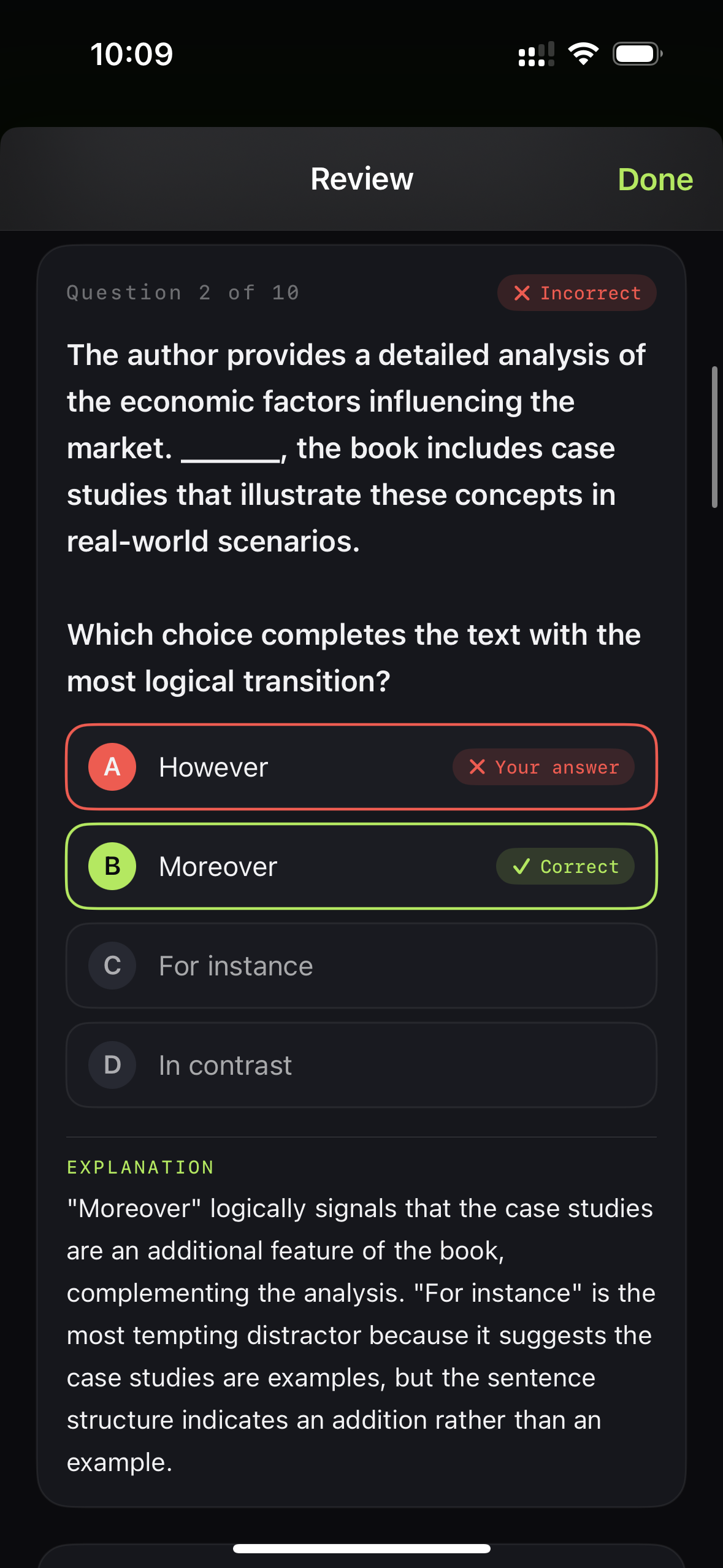
StudyIn answer review showing a missed answer, the correct answer, and an explanation

04

See what is sticking

Mastery Tracking

StudyIn tracks your performance across syllabus topics and individual questions. Correct answers contribute to your topic progress, while missed questions can be resurfaced later, giving you another opportunity to answer them correctly and reinforce your understanding.

Previously missed questions can come back later.

05

Build your session

Customisable Study Sessions

Before starting a session, you can choose what you want to study, how long you want to focus for, how long your breaks should be, how frequently they occur, and which apps you want blocked. This lets you build shorter or longer sessions around the time you have available and the subject you are working on.

StudyIn session overview showing study length, breaks, and earned screen time
StudyIn controls for session length, study interval, and break duration

Study Mode & Casual Mode

Two ways to use StudyIn.

StudyIn can run in two different modes depending on how much structure you want.

Structured rhythm

Study Mode

Built for focused sessions. Set the total length of your session and choose your break interval. Every X minutes, you’re prompted to take a quiz to earn screen time. Pass, and your apps open for a timed window. When the break ends, the shield comes back on. Fail, and your apps remain blocked.

We’re not stopping you from taking a break — you just can’t access your selected apps until you earn it.
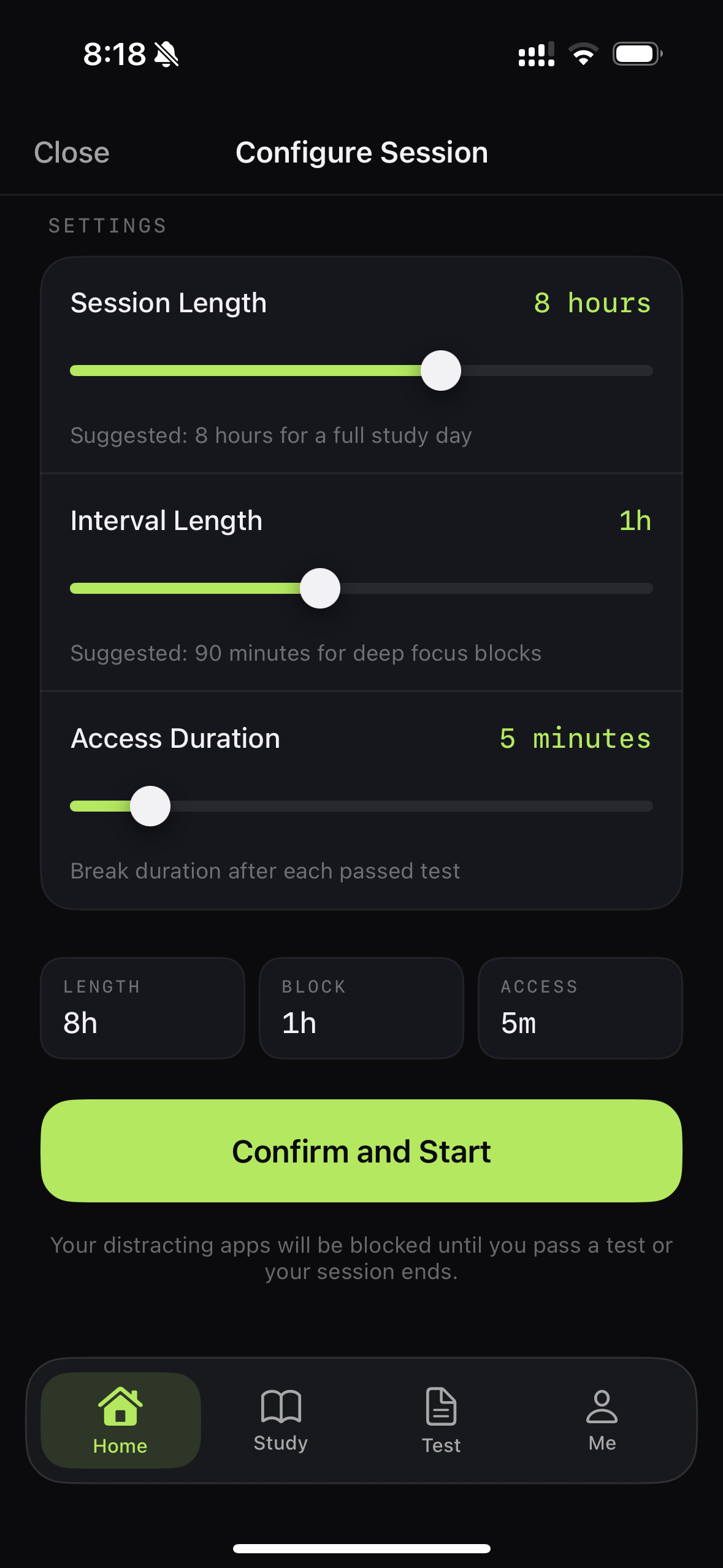
StudyIn Study Mode controls for session length, quiz interval, and timed app access

On-demand rhythm

Casual Mode

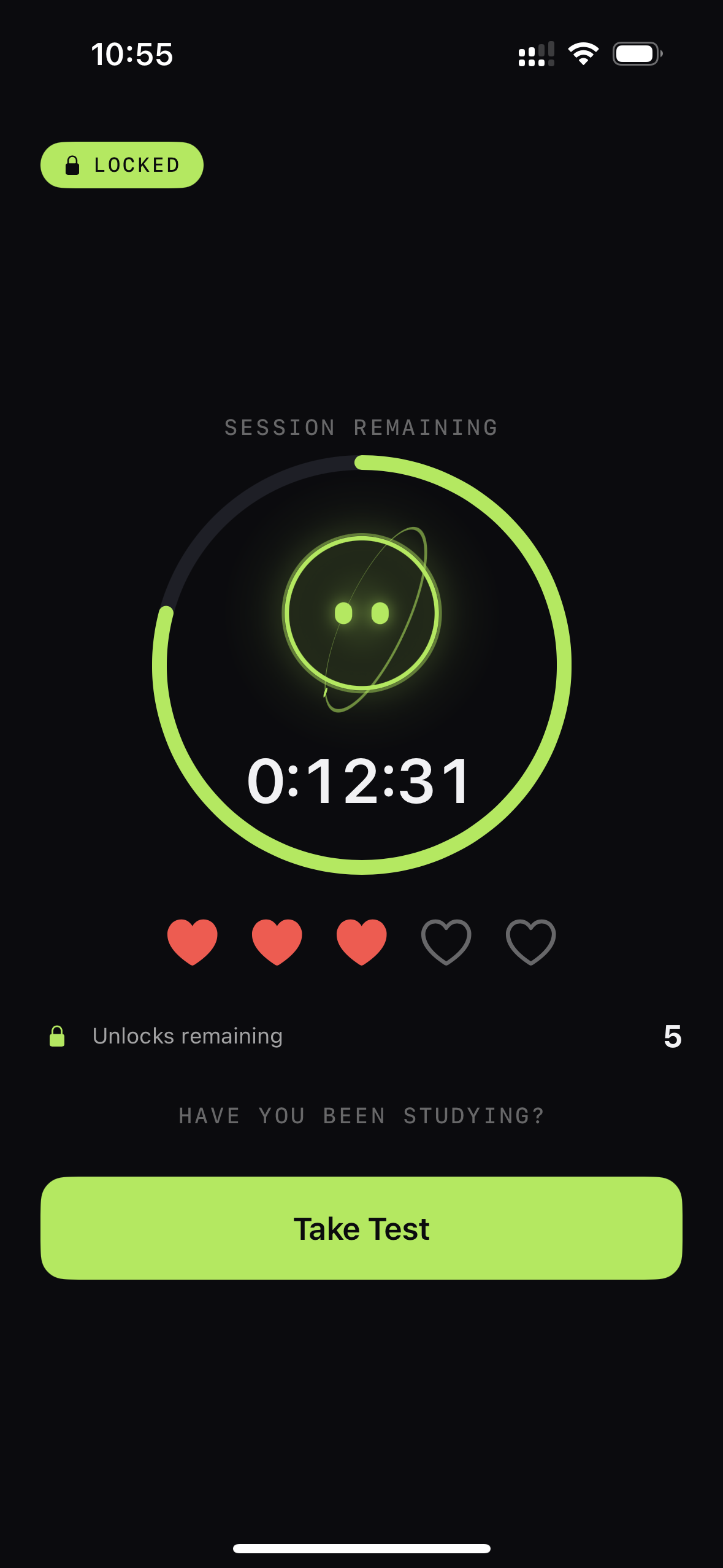
Built for more flexible sessions and day-to-day screen-time control outside dedicated study sessions. Casual Mode lets you choose a daily unlock budget and a limited number of failed quiz attempts. Whenever you feel ready, take a quiz and try to earn access to your apps.

StudyIn Casual Mode showing a locked session, remaining attempts, unlocks, and Take Test action

Study Mode when you want structure. Casual Mode when you want flexibility.

06

A repeatable rhythm

Structured Study Cycle

StudyIn gives each session a defined sequence. You start a study period, complete the work, take a quiz on the material, and then receive a timed unlock window if you pass. Once the window ends, your selected apps are blocked again and the cycle can repeat.

Over time, this structure is designed to make focused study more consistent while helping you build a healthier relationship with the apps that normally distract you.

  1. 01
    StudyIn character studying at a desk
    Study
  2. 02
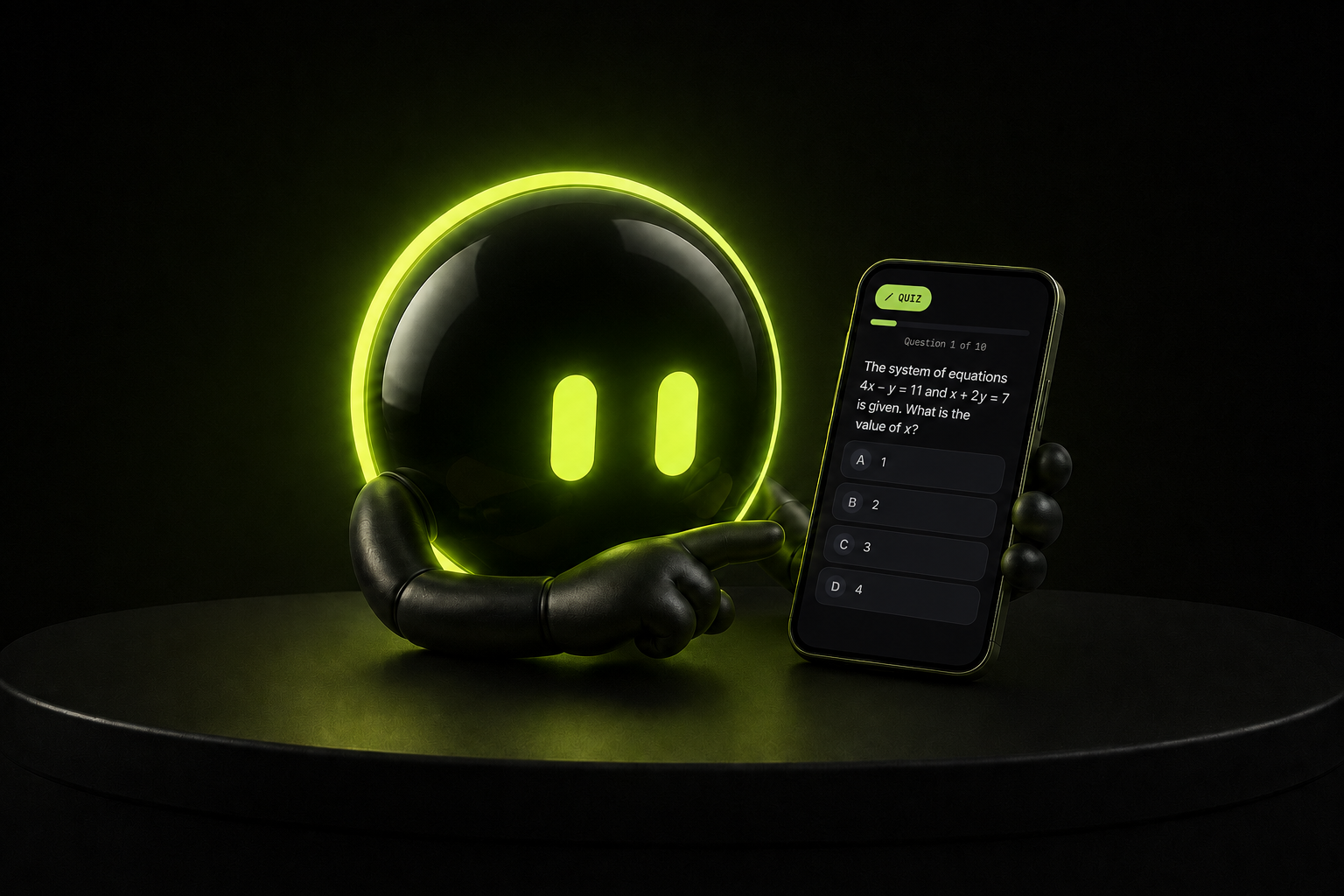
    StudyIn character pointing to a quiz on a phone
    Quiz
  3. 03
    StudyIn character beside an unlocked phone
    Earn Screen Time
  4. 04Repeat

Your next session starts here

Ready to build a study system that actually fits your exam?

Block the distractions. Study the right material. Prove what you know.

Download on the App StoreStudy, Quiz, Earn Screen Time